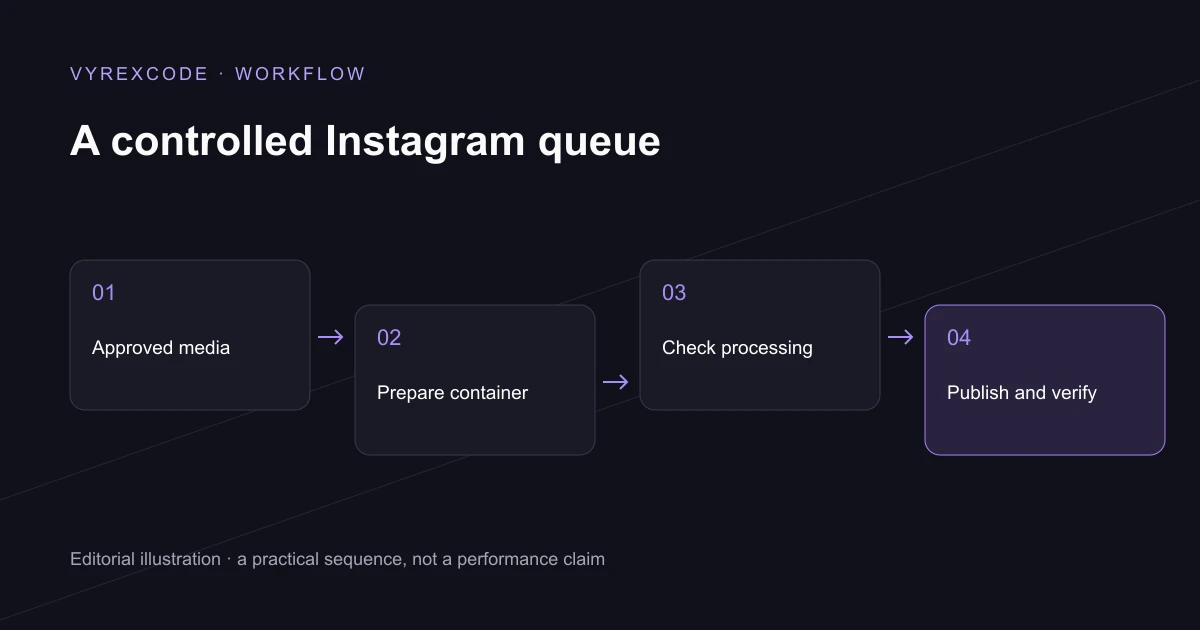
Define what the workflow is allowed to publish
Instagram automation can connect approved media and captions with an authorised publishing account. AI may prepare a draft or help organise material, while a separate workflow handles review and publication. A generated suggestion should not silently become permission to post on the business's behalf.
Start Instagram automation by identifying the eligible account and the supported publishing route. Account type, permissions and current platform requirements affect what an integration can do. Confirm those conditions for the actual account rather than assuming every personal or professional profile behaves the same way.
Useful Instagram automation keeps the destination, media and caption attached to the same approved version. VyrexCode designs the review around what staff need to inspect. If the asset changes, the system should recognise that the previous decision may no longer apply.
Prepare and process the media
Instagram automation needs a media preparation step before publication. Check the format and the platform's current requirements, then ensure the supported ingestion route can access the file. A local preview proving that a video plays does not prove the remote publishing service can retrieve it.
Publishing through Instagram automation can involve a preparation or container stage before the final post action. Keep the returned identifier and inspect its processing state. A record saying the media was accepted for processing should not be reported as a completed public post.
Captions prepared for Instagram automation still need human judgement where they contain claims, offers or customer information. Review the actual wording and the media rights. Automation can move an approved item through the queue, but it does not establish that every claim in the item is true.
Operate the queue with clear states
Scheduling in Instagram automation needs a known timezone and a stable approved version. Show the intended account beside the release time so that staff can catch a destination mistake before the action. An internal scheduled state should remain distinct from the platform's observed result.
Instagram automation should handle an uncertain response by checking the existing publication attempt. Immediately sending the same post again may create a duplicate. Retain the attempt identifiers and give failed items a controlled recovery path.
Measure Instagram automation through completed workflow tasks, processing failures and the team's review effort. VyrexCode can connect that record to the systems used to run the campaign. Audience reach and sales need their own measurement rather than being promised as automatic consequences.
If you need Instagram automation for an authorised business workflow, speak to VyrexCode about our AI automation agency UK service. Bring the account setup, media process and approval responsibilities. VyrexCode can scope the integration and the checks that confirm a post is actually complete.
Keep the team in control
Use a named reviewer, visible account selection and a stop control for the queue. Staff should understand the next required action without inspecting provider responses. A permissions problem needs an account-access action, while a rejected file needs a media correction.
Retain a record of what was approved and what appeared publicly. That makes later corrections and reporting much easier. When current platform requirements change, review the integration before assuming an older workflow remains compatible.
Put the advice into practice
Use separate states for awaiting review, scheduled, processing and published. A person operating the queue should be able to see where an item stopped and what action is needed next.
Keep the approved asset available through the required processing window. If a file route becomes unavailable too early, the platform may be unable to finish preparing a post that appeared valid in the local preview.
Read the business automation guide for task selection and operational controls. The Instagram workflow applies those principles to one authorised publishing process.
After changing an integration, test an agreed representative item and confirm the final result. A successful setup screen is useful evidence of configuration, while a verified post demonstrates a different stage of completion.